Your website will be targeted...
the real question is: can you defend it?
- Nearly 30,000 websites are hacked every single day. 43% of them belong to small and medium-sized businesses.1
- Just one outdated plugin, a weak password, or a missing backup can be enough to put your business at risk.
- Take a quick security test and download a free copy of the Guide to a Bulletproof WordPress Setup, a practical checklist for securing your website.

Your website isn’t just a digital business card. It’s the heart of your business. And yet, too many entrepreneurs take daily risks because “security isn’t urgent.”
Sound familiar? • „I’ll update when I have time…” • „There’s some backup, but I’ve never had to use it…” • „I’m not sure how it works, I’d rather not touch it…”
This kind of hesitation is understandable. Technical tasks can feel intimidating, or there’s simply not enough time for them. And until nothing goes wrong, it’s easy to ignore the risks. But attackers don’t wait for you to be ready. WordPress sites are targeted every single day - and not just those of big companies.
Small vulnerabilities quietly pile up…
until one day, this happens:
× Your website goes down - partially or completely
... It’s not just a technical issue. It’s lost traffic, missed campaigns, and real revenue slipping away. When was your last backup?
× Data leaks or data loss
... Customer data that’s lost or exposed can lead to legal trouble, financial damage, and a serious hit to your reputation.
× Your site gets infected - spam, viruses, or redirects
... Malicious code can hijack your site to send spam, spread malware, or redirect visitors elsewhere. It drains your resources and can tank your SEO.
× You lose access to your own site
... If an attacker gets in, they can change your password and lock you out. Recovering and repairing a hacked site is complex and time-consuming.

Test your website's security
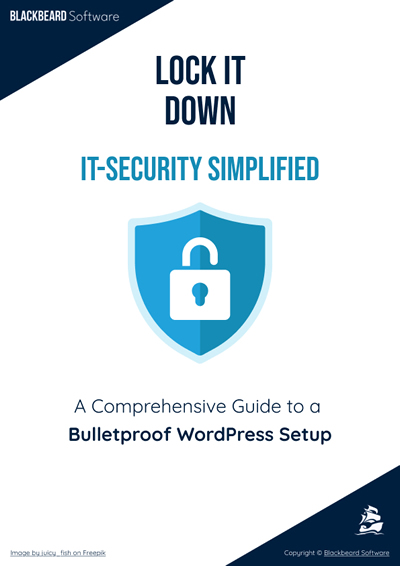
Test your website’s security in just a few minutes, and download a practical, free guide that walks you through the most important WordPress security settings step by step!
Even a few simple steps can build solid protection for your own website or your clients’ sites. The guide helps you strengthen and stabilize your system using clear language, without overwhelming technical jargon, while maintaining a professional standard.
If you get stuck, you’ll have the option to book a short, free call where we’ll personally go over the critical points and you’ll receive an actionable plan you can start using right away.
And if you're short on time, or the situation is already serious, leave the hard part to me so you can focus on your business, confident that your site’s security is taken care of.
What topics does the guide cover?
Security-focused hosting and SSL certificates
Installation and configuration steps
Themes, plugins, and backups
Fine-tuning, authentication, and firewall setup
Recurring maintenance tasks
Each item has been assigned a score reflecting its importance for security. Add up your total out of 100 to see how secure your system really is!

Why download it?

Clear, streamlined checklist you can revisit anytime
Includes instantly applicable, practical steps
Delivers tangible results in as little as 1–2 hours
Gives you knowledge that truly works!

I’m Imre Vörös, a web developer with nearly 20 years of experience. Over the years, I’ve seen firsthand how serious the consequences of poor security can be across many types of online systems. For example: missing input validation, lack of encryption where it’s needed, team members afraid to update the system, easily hackable admin accounts, or former employees still having access to the backend.
While no web application can ever be 100% secure, the more layers of protection we build, the more likely we are to prevent or reduce damage.
That’s why I pay special attention to security—both during development and ongoing maintenance. I want to share my experience with as many people as possible, so together we can improve the quality of our shared online world.
How long does it take to complete the checklist?
Most steps can be done within 1–2 hours, even if you're a beginner.
Do I need programming skills?
No. As long as you can manage your hosting and edit a few files, you're good to go. The guide walks you through everything step by step. And if you ever feel unsure, you’ll have the option to book a short free call where I’ll gladly answer your questions.
Is the test and guide really free?
Yes, both the online assessment and the guide are 100% free. You can even book a short personal call after completing the test, also free of charge.
Where’s the fine print?
There isn’t any. The test and guide are designed so anyone can complete them independently. I believe the more secure WordPress sites we have, the better the internet becomes for all of us. If you'd rather outsource the work, I’m happy to help - but that’s just an option, not a requirement.
Are you ready to make your website more secure?
You’ve got nothing to lose - and everything to gain - by checking whether you’re protected on all fronts.
Don’t wait for trouble to strike. Recovery is always more costly than prevention.
Prevention is the only investment that always pays off.
Start by taking the test, or get in touch with me and let’s explore how we can work together on the solutions.
No obligations, just a clear action plan, transparent steps, and greater peace of mind.